


Bring your history
Import your whole ForeFlight logbook from its CSV export: aircraft, approaches, crew and custom fields included. Running the import again never duplicates anything.
Pilot logbook · iPhone, Android & desktop
Tap Start Shift and go fly. Volandi follows your aircraft on ADS-B and drafts every entry for you: Out, Off, On and In for each leg, night, takeoffs and landings, cross-country, the route, the path you flew and the approaches you shot. You review it and you're done.
Free during early access. Nothing to download: it runs in your browser and installs to your Home Screen.
What one shift fills in
Made by a working pilot, for pilots who fly real schedules.
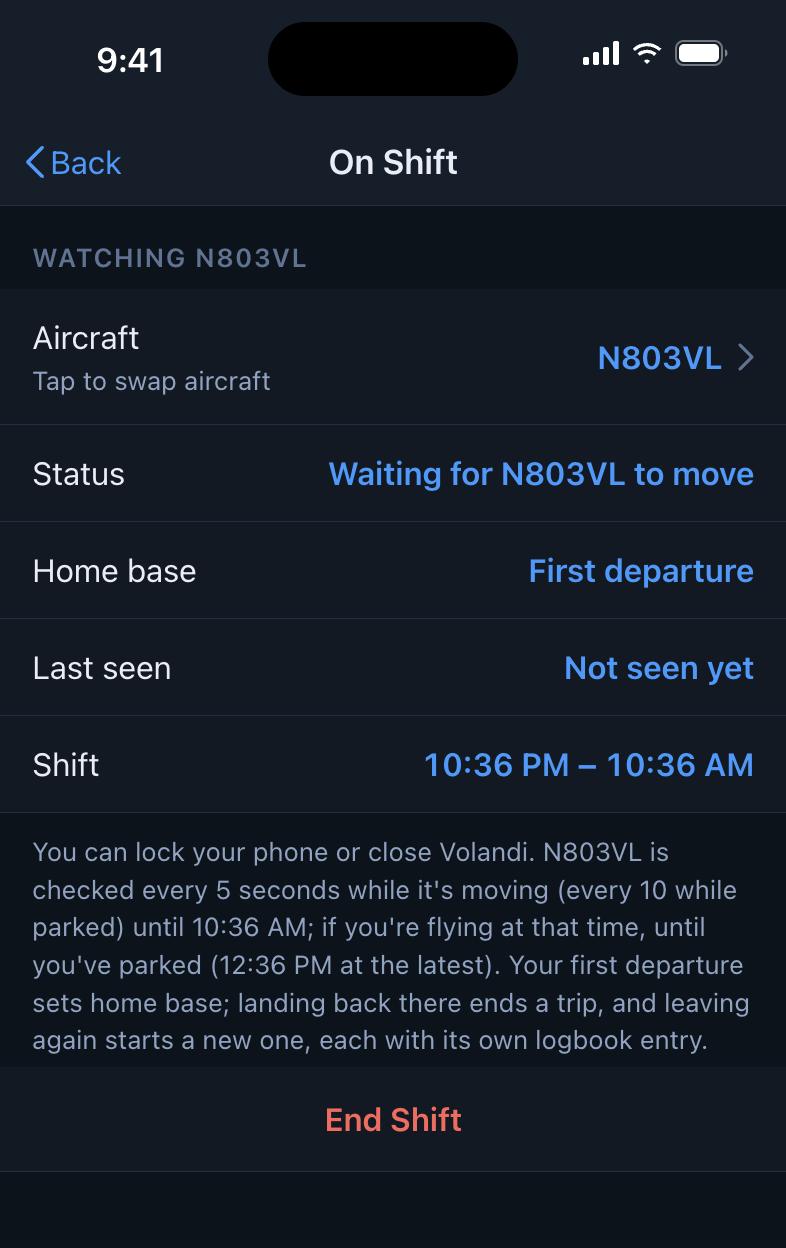
Tap + then Start Shift. Volandi watches your default aircraft for the next 12 hours, or up to 14 if you're still flying when the 12 run out. Lock your phone; it keeps working.
Your first departure becomes home base. Each time you land back there, that trip becomes its own entry, however many stops it took. Switched tails mid-shift? Use Swap Aircraft.
New entries arrive marked for review, with anything estimated flagged. Fix what needs fixing, tap Looks good, and it's in your logbook.
Approach matching
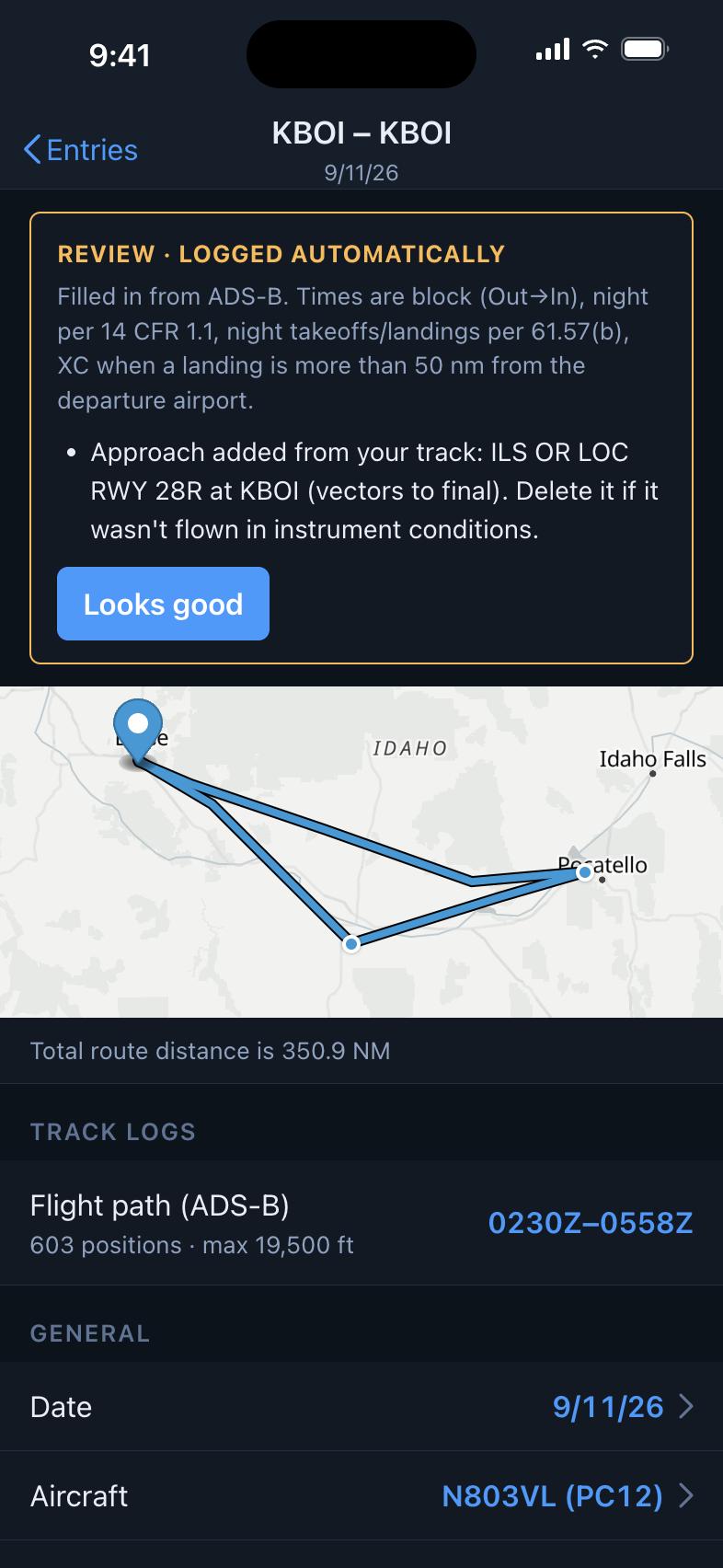
Volandi checks your track against every published instrument approach in the FAA's current data, refreshed each 28-day cycle. When an ILS and an RNAV share the same final, it picks the more precise one. When you flew the full procedure from an IAF, it names the transition; when you were vectored, it says so.
You decide whether an approach counts: turn auto-add on for the IMC months and off for the summer, and delete any that weren't flown in instrument conditions.
Every leg, every time
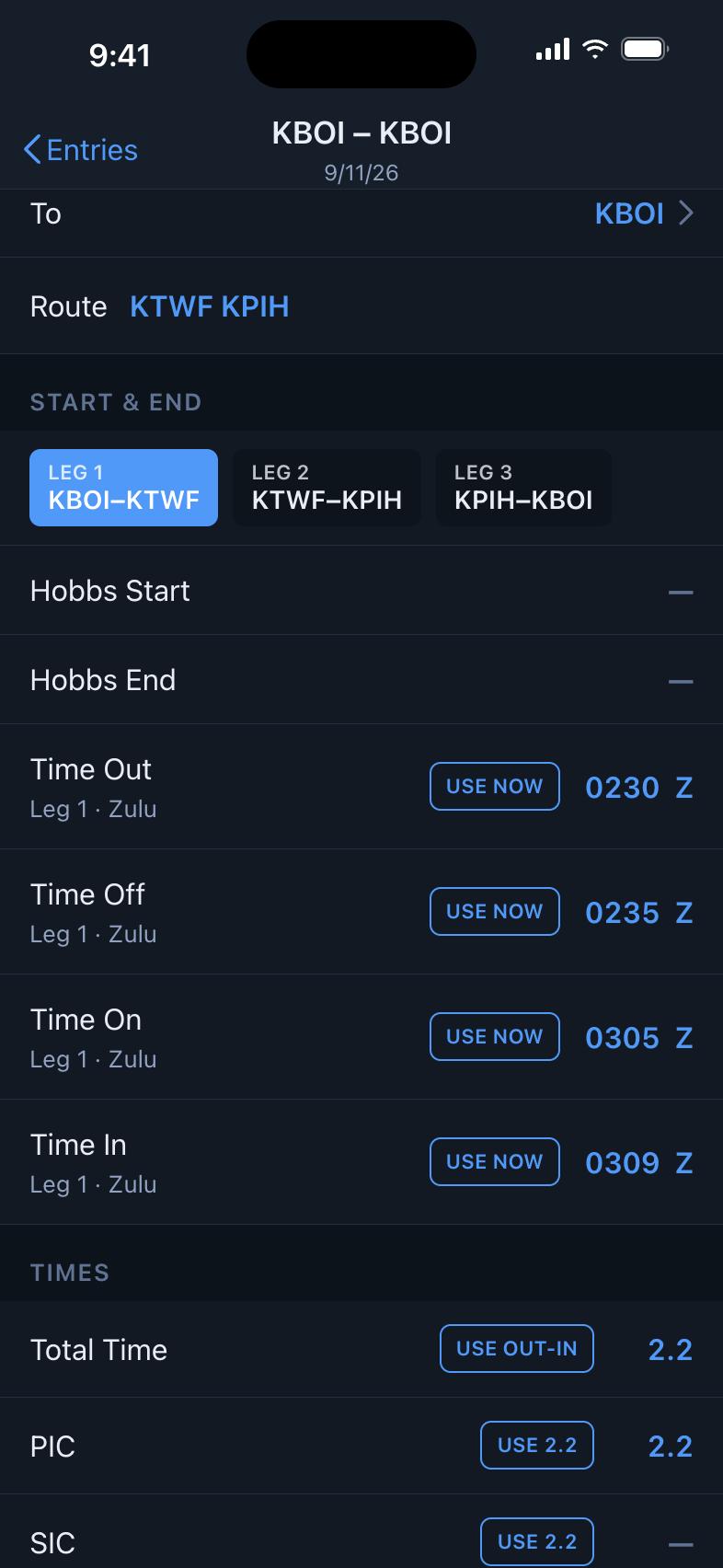
A three-stop trip gets three tabs, each with its own Out, Off, On and In. Swipe between legs, and tap any row to flip the whole block between Zulu and local.
Night is worked out from the real sun position at each airport, with the one-hour rule for night currency. Cross-country counts when a landing is more than 50 nm from where you started.
Import your whole ForeFlight logbook from its CSV export: aircraft, approaches, crew and custom fields included. Running the import again never duplicates anything.
Totals by period, aircraft type and category/class, an experience summary, and the 8710 grid for your next checkride application.
Log on your phone and tidy up on a laptop. Everything stays in sync and still works offline.
Every automatically logged trip keeps the path you actually flew, drawn on the entry's map.
Monthly automatic backups, plus one any time you like. Download any of them as a formatted PDF logbook or a CSV.
Dark by default, with big targets and a number pad built for times and decimals.
Manual entries work for any aircraft, anywhere.
Open app.arsvolandi.com in Safari (iPhone) or Chrome (Android) and create your account.
Tap Share, then Add to Home Screen. On Android it's the ⋮ menu, then Install app.
Open Volandi from its icon. In Settings, pick your default aircraft, and you're ready for your first shift.
No. Once a shift starts, Volandi's servers do the watching. Lock your phone or close the app; your entries will be there when you open it again.
Every automatically logged entry starts out marked for review, and estimated times are labeled. Edit anything, the same as a manual entry. When you open the app after flying, it also re-checks the shift against the positions it collected.
Yes. A trip runs from your first departure back to that airport, with as many stops as it takes, and each leg gets its own times. If you change aircraft mid-shift, Swap Aircraft carries the shift over to the new tail.
It can't tell weather from a track. Turn Auto-add approaches off when you're mostly VFR, or delete the ones that don't count. Each one tells you which procedure and transition it matched.
From ForeFlight, yes: export your logbook as CSV and import it under More → Import. Other logbooks can usually export to the same format.
Nothing during early access. If that ever changes, you'll hear about it well ahead of time, and your logbook is always yours to export.
Not yet. Volandi installs from the browser today. A native iPhone app, which can log from the phone's own GPS too, is in the works.